

Computer Science: Foundations of Computing
Unlocking the fundamental building blocks of all computing, from binary logic to the physical hardware architecture.
Happy Monday!
Insight Trunk is a free lifetime library—a modern replacement for outdated encyclopedias. From Monday to Saturday, we deliver a 10-minute read on a specific subject, with fresh topics each week. Two years later, we revisit each theme with updated insights from our archives—so you’ll never miss a thing. You can unsubscribe anytime using the link at the bottom of this newsletter.
We start this week’s topic by decoding the language of computers: binary and logic. Understand the core machine by exploring the CPU, memory, and I/O. Finally, grasp how operating systems manage resources and how all data is represented digitally.
🧑💻 In this week’s edition: Computer Science
Monday - Foundations of Computing
Tuesday - Programming Fundamentals
Wednesday - Data Structures and Algorithms
Thursday - Software Development and Design
Friday - Networking and the Internet
Saturday - Advanced Topics and Future Trends
Question of the day
What is the fundamental storage unit for all digital information in a computer?
Let’s find out !
Foundations of Computing
Let’s break it down in today discussion:
Logic, Binary, and Digital Systems
Computer Architecture: CPU, Memory, I/O
Operating Systems: Role and Functions
Data Representation and Storage Basics
Read Time : 10 minutes
🔢 Logic, Binary, and Digital Systems
The foundation of modern computing rests upon the principles of digital logic and the binary system. All data and instructions within a computer are ultimately represented by discrete electrical signals, which are interpreted as one of two states: high (on) or low (off). This duality is formalized as the bit, the fundamental unit of information, assigned the numerical values of 1 or 0, respectively. The binary system contrasts with the decimal system used by humans, providing a robust and unambiguous method for machine computation.
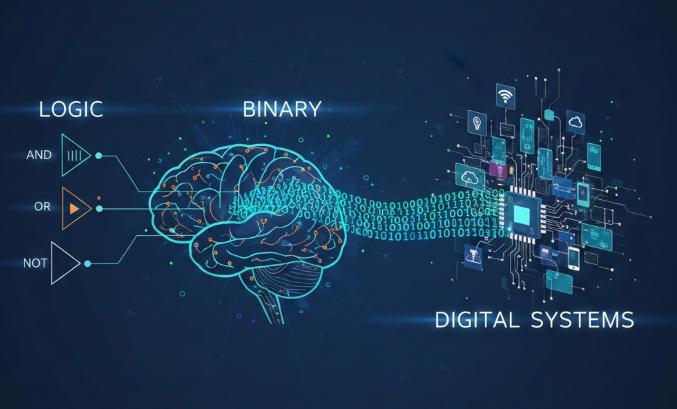
This binary representation is processed through Boolean algebra, a mathematical framework devised by George Boole. This algebra utilizes fundamental logic gates (e.g., AND, OR, NOT) to manipulate the bits. For instance, the AND gate only outputs a ‘1’ if both inputs are ‘1’. These gates are physically implemented in electronic circuits, forming the complex structures that execute arithmetic and logical operations within the processor.
The systematic application of binary and Boolean logic gives rise to digital systems, which are responsible for all computational functions. Every character, color pixel, and instruction is encoded into a specific binary pattern. For example, the capital letter ‘A’ is often represented by the 8-bit ASCII binary code $01000001$. This uniform and predictable encoding is what allows computers to process and reproduce information reliably.
Watch this video to explore the topic in more detail.
🖥️ Computer Architecture: CPU, Memory, I/O
The effective operation of any computer system relies on a well-defined architecture, which dictates how the hardware components are structured and interact. Central to this architecture is the Central Processing Unit (CPU), often termed the “brain” of the computer. The CPU is responsible for executing program instructions by performing fundamental arithmetic, logic, and control operations, fetching instructions from memory, and decoding them sequentially.
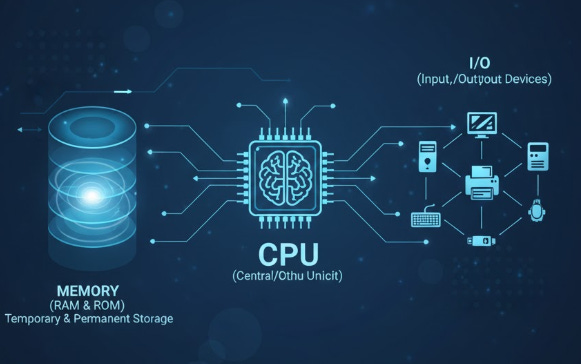
A critical design principle is the Von Neumann architecture, which employs a single, shared bus for both program instructions and data. This structure connects the CPU to the Memory, which includes both Random Access Memory (RAM) for volatile, immediate access storage of running programs and data, and Read-Only Memory (ROM) for permanent storage of boot-up firmware. The speed and organization of this memory hierarchy significantly impact overall system performance.
Finally, the architecture must accommodate Input/Output (I/O) systems. These are the interfaces that facilitate communication between the computer and the external environment, encompassing devices like keyboards (input), displays (output), and network adapters (both input and output). The I/O system manages the transfer of data between the peripheral devices and the CPU or memory, often relying on specialized controllers to handle device-specific protocols and interrupt-driven processes.
Get a deeper understanding with this video.
⚙️ Operating Systems: Role and Functions
The Operating System (OS) serves as the crucial intermediary layer between the computer hardware and the application software, providing a platform for executing programs. Its primary responsibility is the efficient management and allocation of the system’s resources. This includes controlling the Central Processing Unit (CPU), where the OS uses techniques like time-sharing to rapidly switch between running processes, giving the illusion of simultaneous execution.
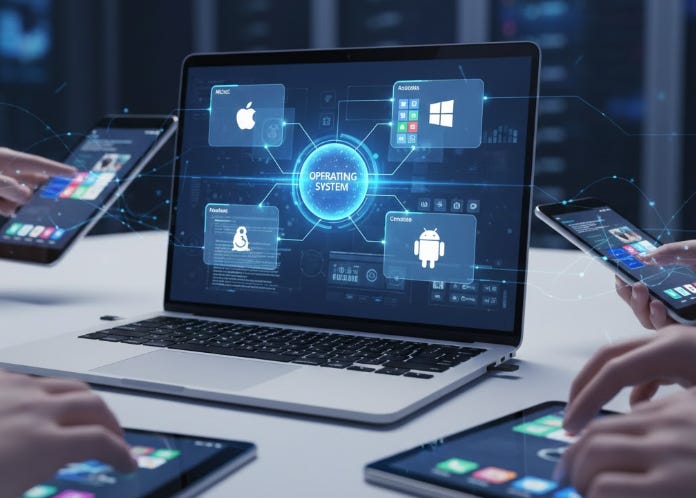
Another vital function is memory management. The OS allocates and deallocates memory space to ensure that different programs do not interfere with each other, often utilizing virtual memory to extend the apparent size of the physical RAM. Furthermore, the OS manages the file system, organizing data storage on persistent devices (like hard drives) into a logical structure of files and directories, handling access permissions and ensuring data integrity.
Beyond resource management, the OS also manages Input/Output (I/O) operations, handling requests from peripherals such as printers, network cards, and monitors. It translates these complex hardware interactions into simple, standardized interfaces for applications, insulating programmers from the intricate details of device-specific drivers. Ultimately, the OS provides the user interface, whether graphical or command-line, that enables interaction with the machine.
Watch this video to expand your knowledge.
💾 Data Representation and Storage Basics
The final component of foundational computing involves understanding how information is systematically translated and retained within the digital realm. Data representation is the process by which real-world entities—such as characters, numbers, and images—are encoded into the binary format (0s and 1s) that computers can manipulate. Standards like Unicode are crucial for text, assigning a unique binary sequence to virtually every character across all global writing systems, ensuring universal compatibility.
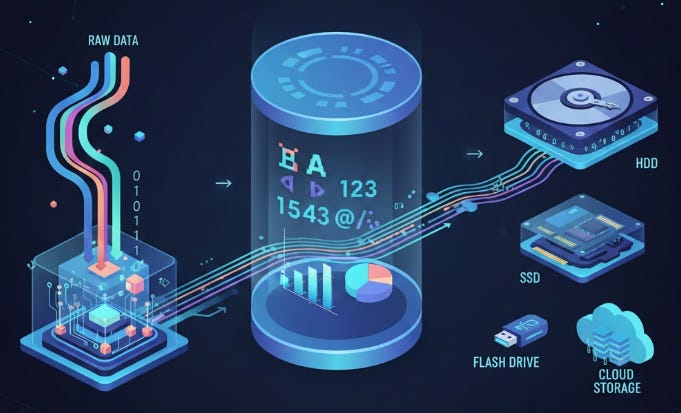
Numerical data is similarly formalized. Integers are represented directly in binary, while floating-point arithmetic uses a standardized format (like the IEEE 754 standard) to represent real numbers with both high precision and a wide range. This consistent approach is fundamental, as it ensures that arithmetic operations are performed accurately and consistently across different hardware platforms.
Once data is represented, it must be stored persistently. Storage basics cover the organization of data on non-volatile media, such as hard disk drives (HDDs) or solid-state drives (SSDs). Data is logically structured into files and organized into a directory hierarchy (or file system) by the Operating System. The physical storage medium retains the binary data even when power is removed, allowing information to be retrieved reliably when the system is operational.
To explore the topic in more detail, watch this video.
Summary
Decoding Digital Information (Logic and Binary)
All computer data is fundamentally represented by binary digits (bits).
A bit holds one of two states: 0 (off/false) or 1 (on/true).
Computers use Boolean algebra (AND, OR, NOT) for logic and calculations.
Physical electronic circuits implement these logical operations using logic gates.
The Core Hardware System (Architecture)
The Central Processing Unit (CPU) is the main component that executes all program instructions.
The Von Neumann architecture uses a shared pathway for both data and instructions.
Memory (RAM) stores data and programs for fast, immediate access during operation.
I/O devices (Input/Output) facilitate communication between the computer and the external world.
The Master Control Program (Operating Systems)
The Operating System (OS) acts as the critical layer between hardware and applications.
It performs essential resource management, including CPU time allocation.
The OS manages the system’s memory, often using virtual memory techniques.
It oversees the file system and standardizes the interface for I/O devices.
Encoding and Retention (Data Representation & Storage)
Data representation is how real-world data is encoded into binary patterns (e.g., Unicode for text).
Standardized formats like floating-point are used for accurate numerical representation.
Data is saved persistently on non-volatile media like SSDs and HDDs.
The file system logically organizes this stored data into files and directories.
Recommended book list for foundation concepts.
Code: The Hidden Language of Computer Hardware and Software explores binary logic and hardware beautifully.
Computer Systems: A Programmer’s Perspective integrates CPU, memory, and OS concepts effectively.
Operating Systems: Three Easy Pieces (OSTEP) provides clear explanations of OS roles and functions.
The Elements of Computing Systems (Nand2Tetris) offers a hands-on guide to building a computer from logic gates.
Computer Science: An Overview presents a broad, accessible view of all foundational topics.
Answer of the day
What is the fundamental storage unit for all digital information in a computer?
The single binary digit (bit)
A bit is the smallest unit of data, representing a 0 (off) or a 1 (on) based on electrical signals. These tiny on/off states are the basis for all binary logic and ultimately define how all data is stored and processed by the computer’s CPU and memory.
That’s A Wrap!
Want to take a break? You can unsubscribe anytime by clicking “unsubscribe” at the bottom of your email.